

Note: The areas outlined in color depict the approximate coverage areas of the relief shading data included in the Vision card.
Bradenton, FL through New Orleans, LA including Apalachicola, Mobile, the Mississippi Delta, Chandeleur Islands, and a portion of Timbalier Bay. Also covers Lake Ponchartrain
Bluechart G3 Vision Features
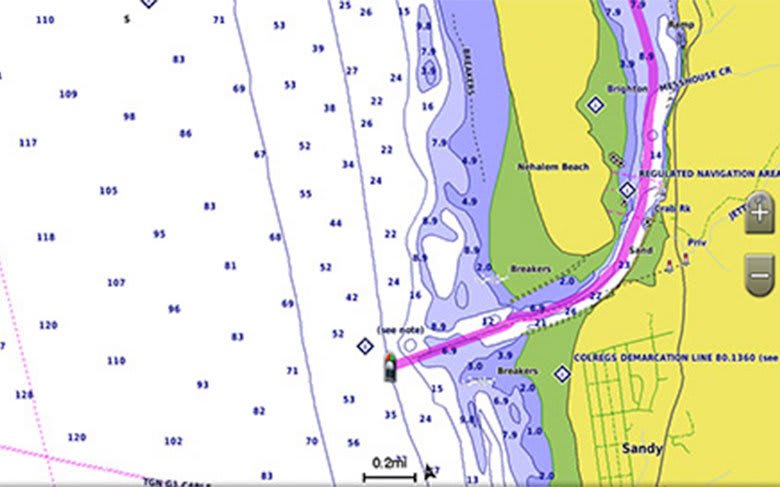
Auto Guidance
Whether you are fishing or cruising, select a spot, and get a route showing you the general path and nearby obstructions at a safe depth1.
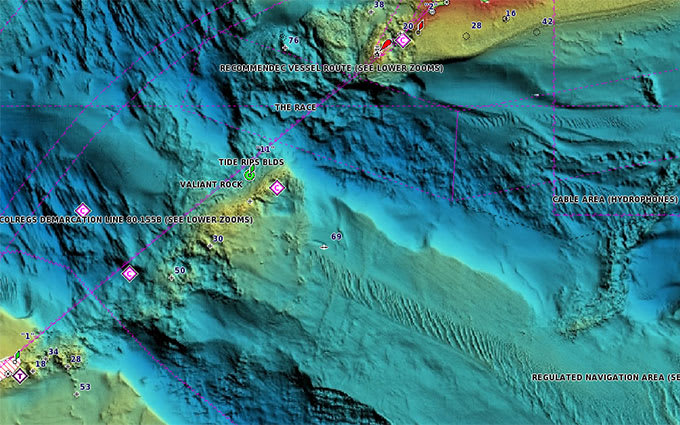
High-resolution Relief Shading
This exceptional shading feature combines color and shadow to give you an easy-to-interpret view of bottom profile, making it easy to find artificial reefs, underwater shelves and more. High-resolution relief shading is available as a free downloadable feature via the ActiveCaptain® app.
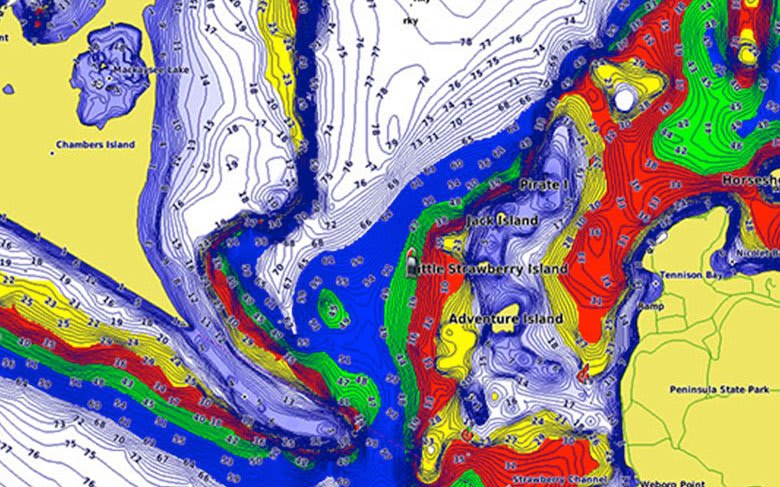
Depth Range Shading
This feature displays high-resolution Depth Range Shading for up to 10 depth ranges so you can view your designated target depth.
Shallow Water Shading
To give a clear picture of shallow waters to avoid, this feature allows for shading at a user-defined depth.
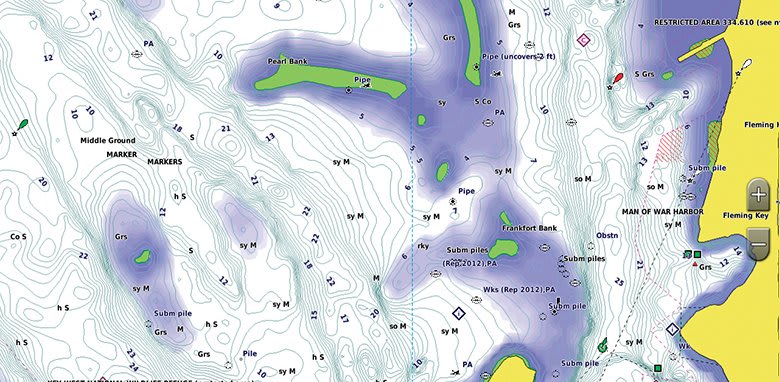
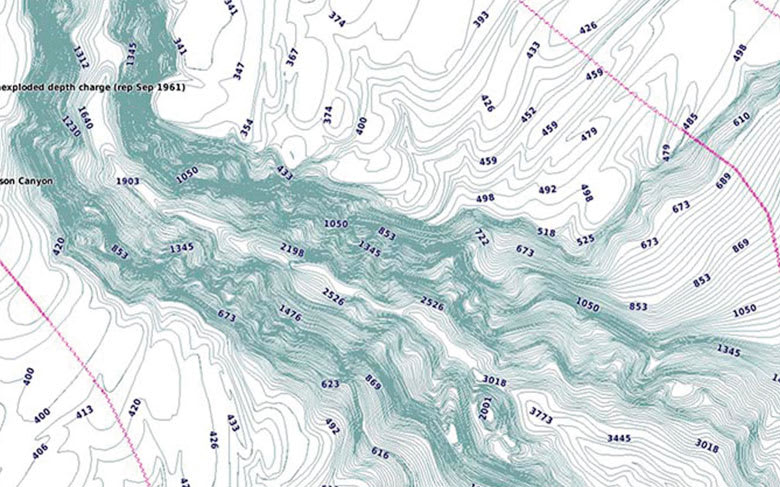
Detailed Contours
BlueChart g3 Vision charts feature 1’ contours that provide a more accurate depiction of bottom structure for improved fishing charts and enhanced detail in swamps, canals and port plans.
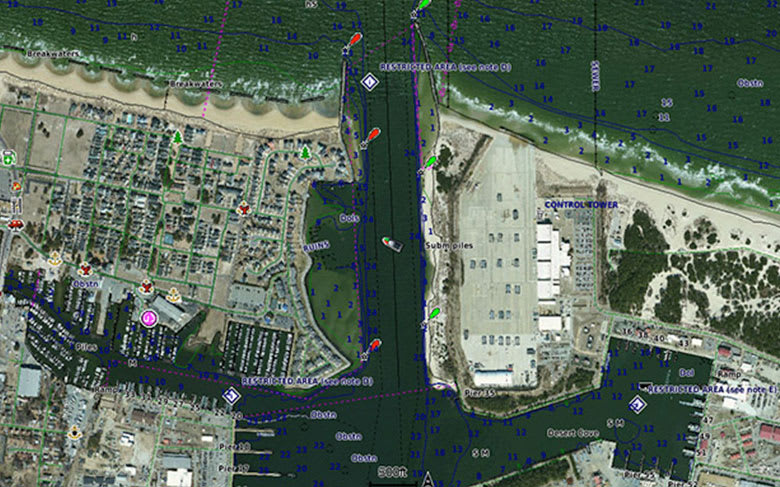
High-resolution Satellite Imagery
High-resolution satellite imagery with navigational charts overlaid gives you a realistic view of your surroundings. It’s our most realistic charting display in a chartplotter — ideal for entering unfamiliar harbors or ports.
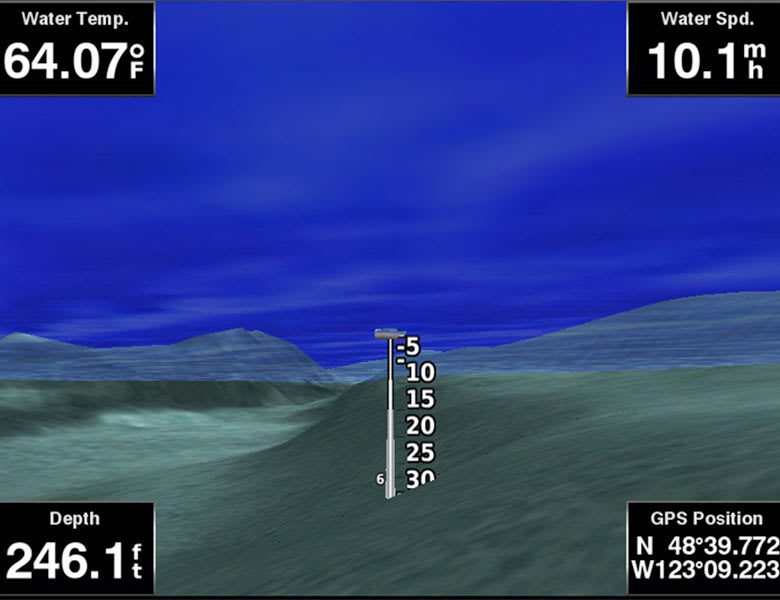
FishEye View
This underwater perspective shows 3-D representation of bottom and contours as seen from below the waterline. Interface with sonar data for a customized view.
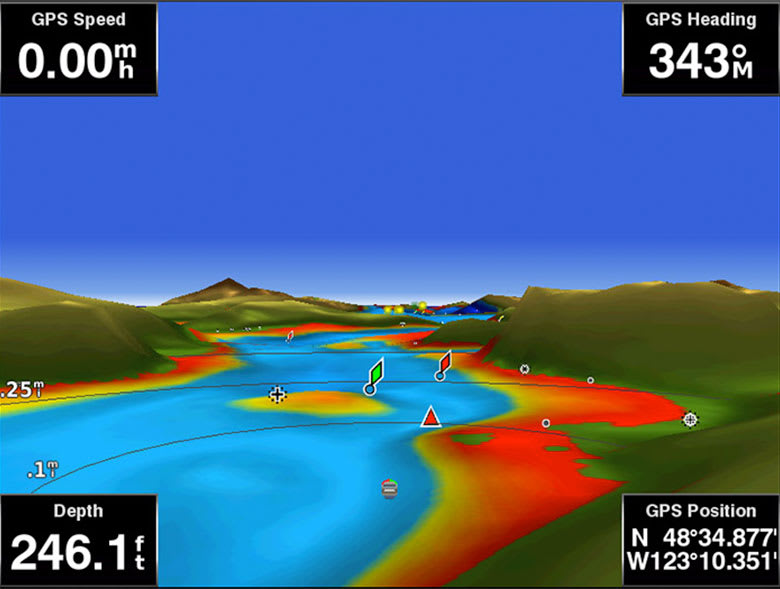
MarinerEye View
This view provides a 3-D representation of the surrounding area both above and below the waterline.
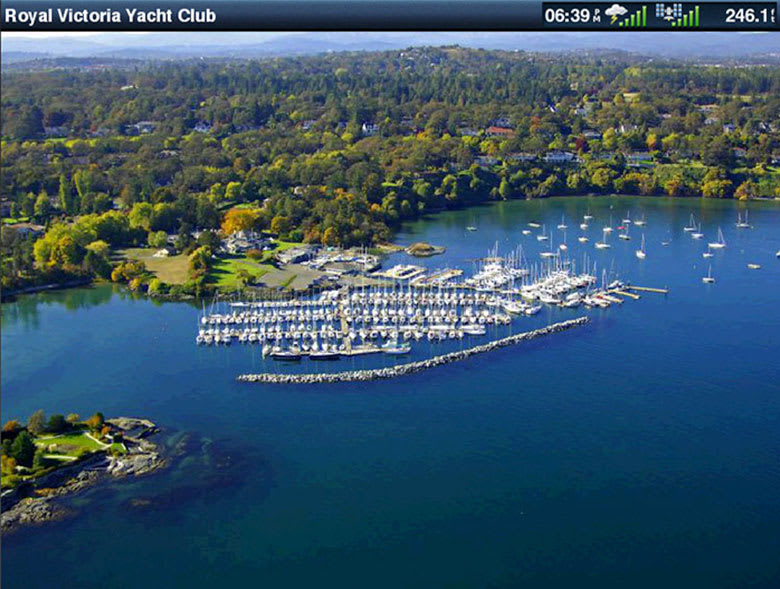
Aerial Photography
Crystal-clear aerial photography shows exceptional detail of many ports, harbors and marinas and is ideal when entering unfamiliar ports.
¹Auto Guidance is for planning purposes only and does not replace safe navigation practices
Comparison
| Feature | BlueChart g3 Vision | BlueChart g3 |
|---|---|---|
| Integrated Garmin and Navionics content | • | • |
| Auto Guidance¹ technology | • | • |
| Depth range shading | • | • |
| Up to 1' contours | • | • |
| Shallow water shading | • | • |
| Raster cartography² | • | • |
| High-resolution relief shading | • | |
| Unique 3-D views | • | |
| High-resolution satellite imagery | • | |
| Aerial photos | • |
¹Auto Guidance is for planning purposes only and does not replace safe navigation operations
²Raster cartography is available for selected countries. It cannot be viewed on echoMAP CHIRP and ECHOMAP Plus combos but can be viewed on mobile devices via the ActiveCaptain mobile app
Requirements
Download Requirements
File Information
The file size of this download and space required on device or microSD™/SD™ card is 15.02 GB. If this download does not fit on your device, data may be saved on a microSD/SD card (Recycled microSD cards may be used to program map data).
microSD™/SD™ Requirements


